
AI-Driven · PII Redaction · Batch Extraction
From Mixed Documents to
Structured, Compliant Data
Batch-import mixed-format documents, including PDF, Word, and PPT files,
and let AI extract key data, redact PII, and generate structured Excel
and sanitized PDF files.
100
Documents Processed
12
Field Types Extracted
24
PII Instances Masked
From Manual Review to
Automated Document Processing
The AI agent automates batch upload, extraction, PII redaction,
and structured output in one workflow.
The manual route today
- 1 Open each file, read every page hunting for names, IDs and addresses
- 2 Black out or delete fields one by one, hoping nothing is missed
- 3 Re-key the extracted fields into spreadsheets by hand
- 4 Keep manual logs of what was cleaned — for the auditors
Typical cost for 100 documents:
hours of manual review and a real risk of missed PII.
With the agent
- 1 Drop in a batch folder — 100 mixed PDF / Word / PowerPoint files
- 2 The agent extracts fields and flags 89 PII items across 20+ categories
- 3 Redaction is applied in place — masked or erased at the byte level
- 4 A human approves the checkpoint; the Excel list and PDF archive are delivered
With the agent:
~3 minutes per 100 documents, with an audit trail for every redaction
Run the Demo
Upload your documents and experience automated
extraction and PII redaction with the Agent.

Employee
Resume.pdf

Emergency
Contacts.docx

Employee
Information Form.xlsx
Start
Bank & Payroll
Information.pdf
Professional
Certifications.docx

Position Appointment
Materials.pptx
Parsing the document (1/4)
Parse external PDF contracts / Parse internal Word templates
Process completed !
Result Preview
Structured Checklist.xlsx
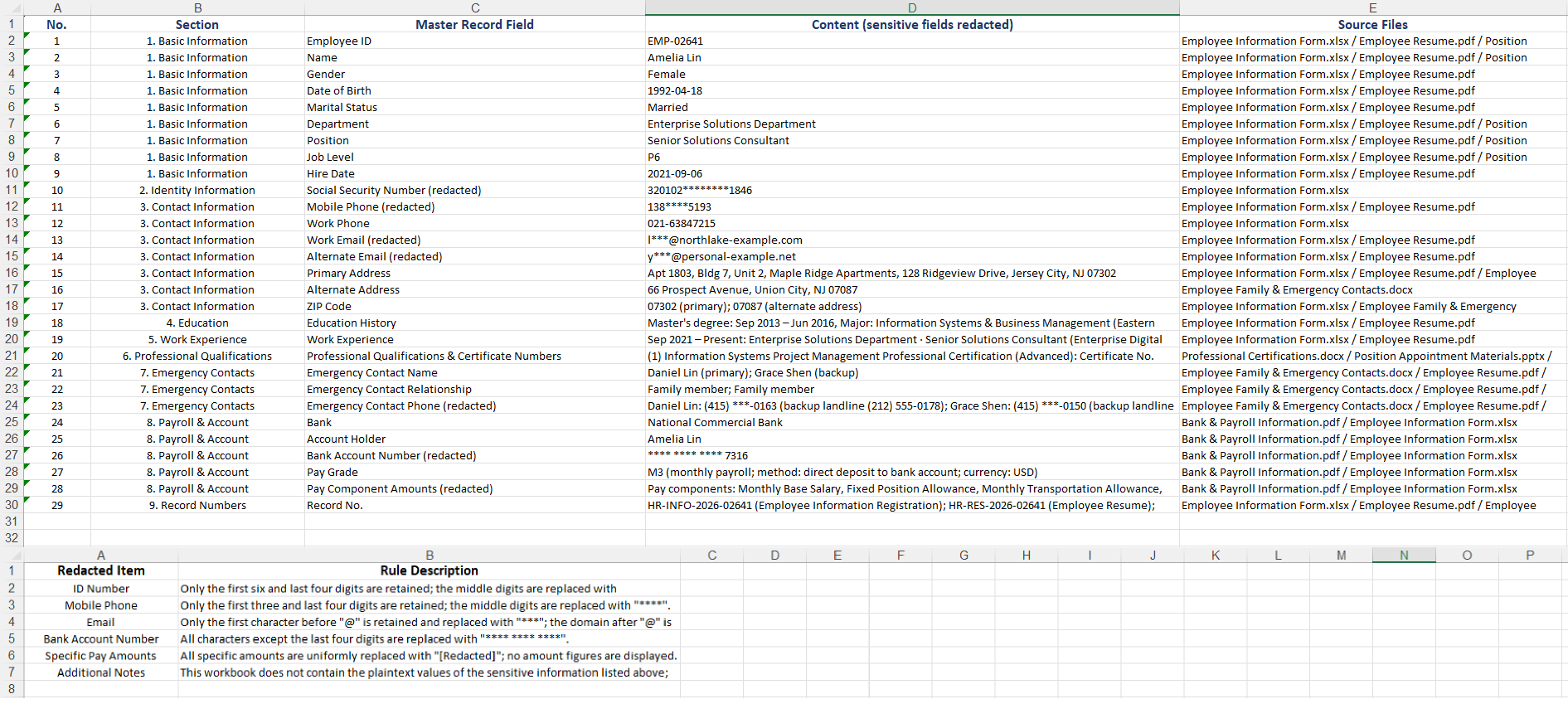
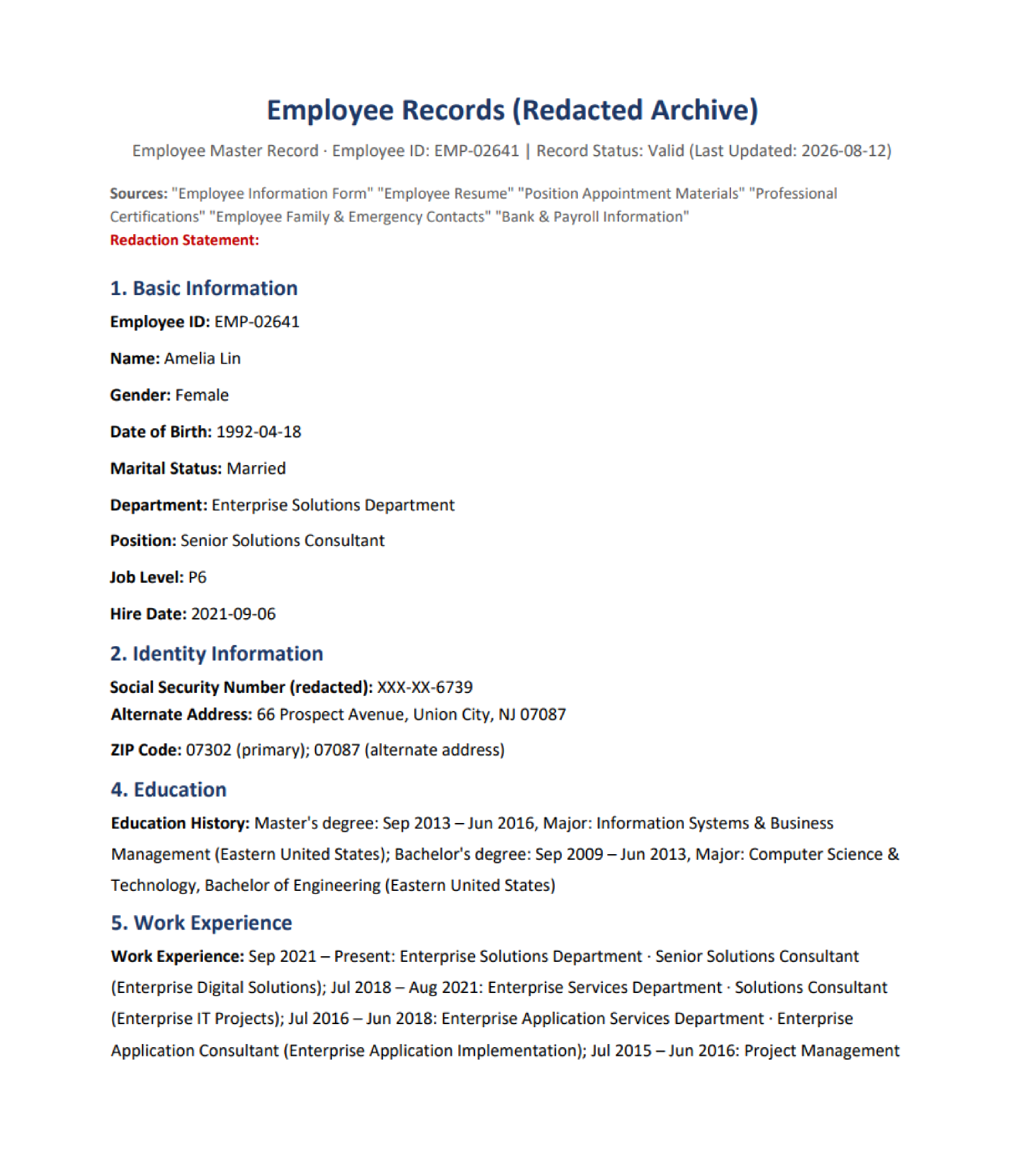
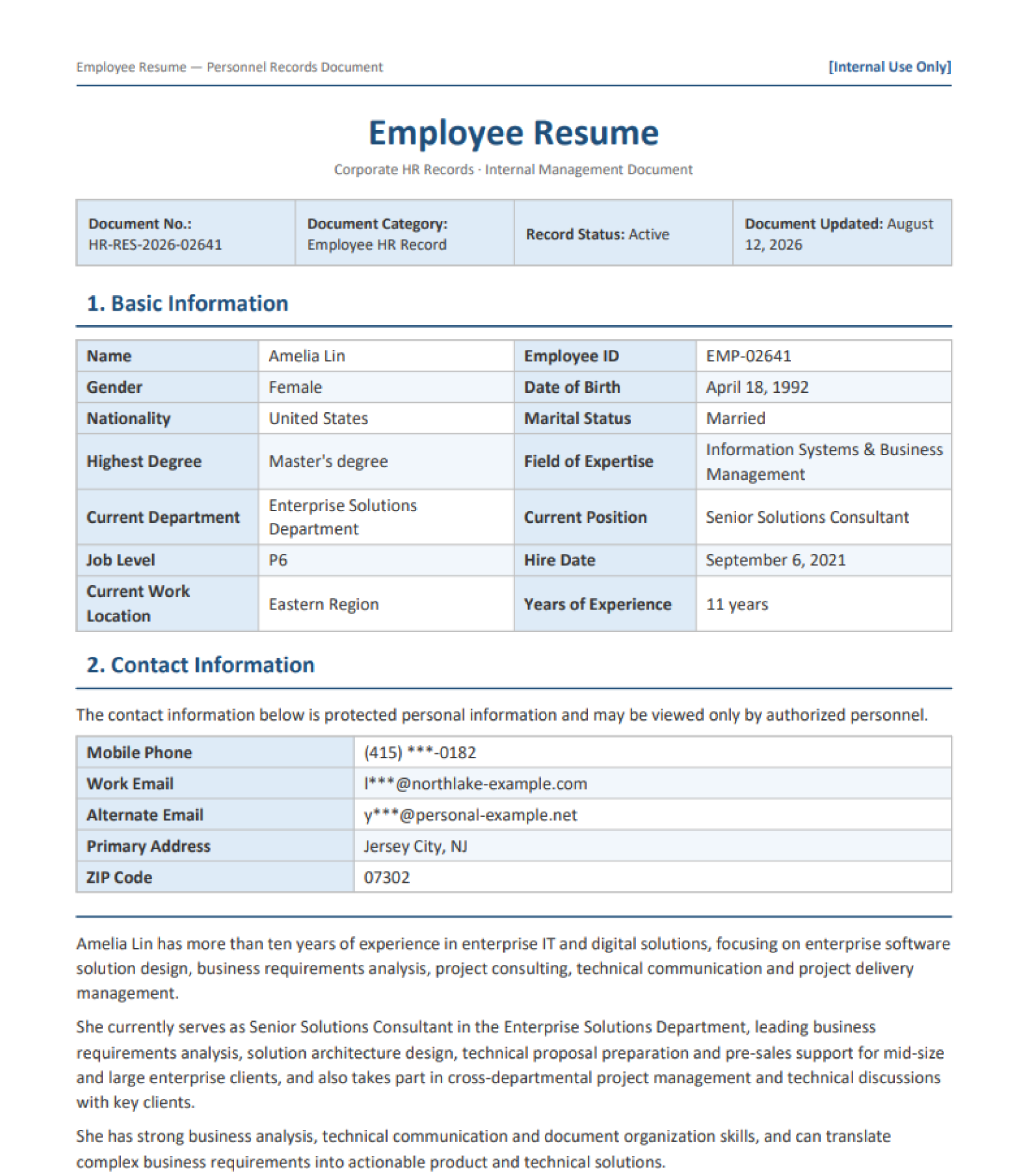
Note: The sample documents on the page are used solely to demonstrate product features,
and all related content does not correspond to real entities or business information.
and all related content does not correspond to real entities or business information.
Four Steps to Automated
Document Processing
Explore the Agent pipeline in workflow view.
01
02
03
04
Parse the Batch
Upload 100 PDF, DOCX, and PPT files at once, with native parsing for tables, layouts, and scanned pages.
Classify Fields
Extract names, emails, phones, degrees, and certifications into a fixed schema.
Redact & Review
Detect 20+ PII types, automatically redact sensitive data, and flag high-risk cases for human review.
Deliver Files
Generate a structured Excel workbook and redacted PDFs, with a complete audit trail.
Explore Agent
Developer Capabilities
An extensible redaction Agent that seamlessly
integrates with existing compliance systems.
Parse
Multi-Format Reading
Batch-read PDF, Word, and PowerPoint files with OCR support.
Understand
Field Classification
Extract target fields using a schema-constrained approach.
Reason
Redaction Decisions
Rules + LLM determine what to mask or remove.
Act
Tool Calling
Function calling triggers redaction and native document generation.
Generate
Native Outputs
Generate native Excel workbooks and redacted PDFs.
// Create a batch processing agent, extract fields, and output desensitized results
string instruction =
"Read PDF, Word, and PPT format documents in batches from attachments, automatically identify and extract key information from each document (such as 'name', 'education', 'qualifications', 'contact information', etc.)," +
"Generate a structured Excel list with one row per document, and desensitize the 'contact information' at the same time. Finally, save and output in both Excel and PDF formats";

// Create AIOptions configuration
AIOptions options = new AIOptions();

// Set SpireToken Key
options.SpireToken = "**************************";

options.WorkDir= "out";

// Using the Workbook object
using (Workbook xls = new Workbook())
{
    // Create an AI document processor
    AIDocumentProcessor processor = xls.AI(options);

    // Execute AI instructions
    processor.ExecuteInstruction(xls, instruction, null, new string[] { "in.pdf", "in.docx", "in.pptx" });
}

Built for Bulk Extraction,
Built for Compliance
an agent built for document-heavy workflows,
with every step in view

Concurrent Multi-Format Parsing
Process PDF, DOCX and PPTX in one batch. Native parsing preserves tables, layout and scanned content — no OCR transcription loss on the fields you need.

Agent-Driven PII Detection
Rules and LLM reasoning detect 20+ PII types, including emails, phone numbers, addresses, and ID numbers, with high-risk cases flagged for review.

Structured Data Output
Extract every record into a fixed schema—Name, Email, Phone, Degree, and Certifications—and export to a native Excel workbook.

Irreversible Redaction
Remove sensitive values at the content layer in native PDFs, rather than simply hiding them behind overlays.

Batch Concurrency
Process up to 100 documents in parallel, with a typical batch completed in about 3 minutes.

Standardized Archiving
Generate redacted PDFs with the original layout, ready for standardized naming and archival.
Common Questions
Which document formats does extraction support?

PDF (including scanned pages, which trigger OCR automatically), Word (.doc/.docx), PowerPoint (.ppt/.pptx), Excel (.xls/.xlsx) and image formats (JPG/PNG/TIFF). Mixed batches are fine — one run can hold 100 files across formats.
How accurate is PII redaction?
The agent recognizes 20+ PII types — emails, phone numbers, ID numbers, addresses, bank accounts and more — using a rules-plus-LLM hybrid. High-risk cases keep a human approval step, so every batch meets compliance-audit expectations.
Can redacted data be recovered?
No. Values are erased irreversibly at the content layer of native PDFs — not hidden or overlain. This satisfies data-minimization and "right to be forgotten" requirements under GDPR and similar privacy laws.
What is the maximum batch size?
Standard runs accept 100 documents per batch, processed in parallel across PDF, Word and PPT. A full 100-file batch typically completes in about 3 minutes.
Can I define my own extraction fields?
Yes. Presets cover resumes, certificates and employee records out of the box, and you can define custom fields, mapping rules and redaction policies through the visual configuration.
How is document data kept secure?
All transfers use TLS 1.3 and storage uses AES-256. Original files can be auto-deleted after processing, and on-premises deployment keeps document data entirely inside your network.
Turn Documents into
Compliant Data Now
Get Your Free 1-Month Developer License