
RFP PDF → source-traceable native Word proposal + Excel compliance matrix
From an RFP to
a submission-ready
response
Analyze the RFP across your PDF/ Word/ PowerPoint knowledge bases, close the gaps, and deliver a native Word proposal + compliance matrix. Get a first-pass response in minutes — final decisions stay with your proposal team.
196
requirements matched
7
coverage gaps found
3
draft answers generated
The proposal crunch, before and after
RFP responses are usually a fire drill: a long weekend, scattered files and a deadline that
doesn't move. The agent turns the fire drill into a pipeline.
The manual sprint
- 1 Read the RFP cover to cover, hunting for every requirement
- 2 Search past proposals and product docs for anything reusable
- 3 Draft answers, then re-check each one against the requirement
- 4 Build the compliance matrix and hope nothing was missed
Typical cost per RFP:
0–30 hours, and missed requirements are only found at evaluation
With the agent
- 1 Drop in the whole period: invoices, POs, expense sheets
- 2 Amounts, tax rates, dates and suppliers extracted cell-precisely
- 3 Exact 3-way matching; every mismatch pinned to the field
- 4 Native Excel anomaly list + Word audit report, ERP-ready
With the agent:
100 documents reconciled in one pass, every anomaly traceable to its source field
Run the response
RFP in, native proposal + compliance matrix out

Request for
Proposal.pdf

Product
Specification.docx

Implementation &
Service Plan.pptx

Pricing Policy
2026.xlsx
Start
Delivery Document

Bid Response.docx
Analyze the bidding document (1/4)
Analyzed 206 response requirements, including technical/business/qualification/service terms
Response complete!
Result Preview
RFP in, native proposal + compliance matrix out
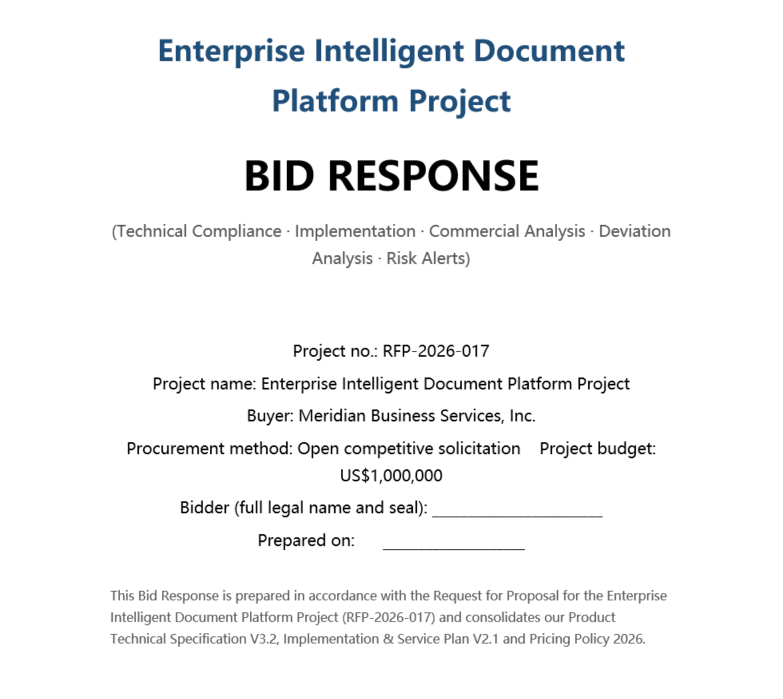
Note: The sample documents on the page are used solely to demonstrate product features,
and all related content does not correspond to real entities or business information.
and all related content does not correspond to real entities or business information.
Four steps, one submission-ready response
The same Agent pipeline you just watched, in a workflow view
01
02
03
04
Extract requirements
Drop in the RFP PDF to extract response items, mandatory clauses, and scoring criteria into an auditable checklist.
Align with knowledge base
Semantically map product docs, past proposals and pricing, aligning every requirement to traceable source snippets.
Draft responses
Reason over the aligned evidence to draft a response for each requirement, citing the source file and page for every section.
Deliver native files
Write the proposal as native Word and the compliance matrix as Excel — open, edit and submit.
Embed the agent, not a black box
An RFP response agent you can drop into your proposal system
Parse
RFP extraction
Spire.PDF / Doc / XLS — layout and structure reconstruction
Understand
Source alignment
Semantic alignment across PDF, Word, and PPT — building a source-traceable evidence chain.
Reason
Draft decisions
LLM reasoning + knowledge base semantic matching and requirement alignment
Act
Tool calling
Function Calling drives the native Office APIs
Generate
Native output
Spire.Doc / XLS write proposal Word + matrix Excel
// Create AIOptions configuration
AIOptions options = new AIOptions();

// Set SpireToken key
options.SpireToken = "**************************";

// Set timeout duration
options.TimeoutMs = 1000000;

// Use a Document object
using (Document doc = new Document())
{
    // Create an AI document processor
    AIDocumentProcessor processor = doc.AI(options);

    // Natural language instruction
    string instruction = "Parse the requirements in the attached 'Request for Proposal.pdf'. Combine and reason over them with the technical specifications, feature list, and qualification certificates in 'Product Specification.docx'; the implementation plan library, delivery plan, team configuration, and service commitments in 'Implementation & Service Plan.pptx'; and the pricing rules, discount policies, and cost baselines in 'Pricing Policy 2026.xlsx'. Finally, generate a Word-format Bid Response that includes technical solution responses, a compliance satisfaction comparison for deviations, and risk alerts.";

    // Execute the AI instruction to generate "Bid Response.docx"
    processor.ExecuteInstruction(doc, instruction, "Bid Response.docx", new string[] { "Request for Proposal.pdf", "Product Specification.docx", "Implementation & Service Plan.pptx", "Pricing Policy 2026.xlsx" });
}

Built for fast, compliant RFP responses
An agent shaped for proposal teams — not a black box

Structured requirement parsing
Auto-detect response items, mandatory clauses and scoring criteria from the RFP, and produce an auditable checklist to ensure nothing is missed.

Semantic source matching
Semantic retrieval across specs, past proposals and quote sheets; every answer carries a source citation to a specific file and page.

Multi-format reasoning
Reason across PDF, Word, PPT and Excel together, cross-linking facts so scattered material becomes one consistent, contradiction-free answer.

Native Word proposal
Generated against your response template with numbering, tables, headers and styles preserved — fully editable in Word or WPS.

Compliance matrix
Each requirement is marked matched, drafted or gapped with its status and source, then exported to Excel for internal review.

Gap flags & decisions
Unmet and partial requirements become open items with suggested actions, so owners can be assigned before submission.
Common questions
Which input formats are supported?

PDF (including scanned pages, which trigger OCR in the Parse stage), Word (.doc/.docx), PowerPoint (.ppt/.pptx) and Excel (.xls/.xlsx). You can batch-import past proposals, product documentation and FAQ files as the answer knowledge base.
How do I know an answer isn't made up?
Every answer carries a source citation to the exact file and page, so you can trace it back to the source fragment. What's generated is a first draft, not a final answer — it goes through review before submission.
Will the proposal match the RFP's required format?
Yes. The agent writes against your uploaded response template natively, preserving numbering, tables, headers, footers and styles. The resulting .docx opens and edits cleanly in Microsoft Word and WPS.
What happens to requirements we can't fully meet?
They're flagged as gaps with a suggested action and surfaced as open items in the compliance matrix and gap list — so owners can be assigned and decisions made before submission, not after.
How is this different from ChatGPT-style AI?
General AI gives you ideas and text you then assemble by hand. Spire.Agent.Office adds multi-document cross-format reasoning, traceable sources, native Office output and API integration — it hands back a submission-ready file, not a chat window.
How is data security handled?
All transfers use TLS 1.3 and storage uses AES-256. With on-premises deployment, RFP documents and commercial terms stay entirely inside your network. Original files can be configured to auto-delete after processing.
Ready to speed up RFP responses?
Get Your Free 1-Month Developer License