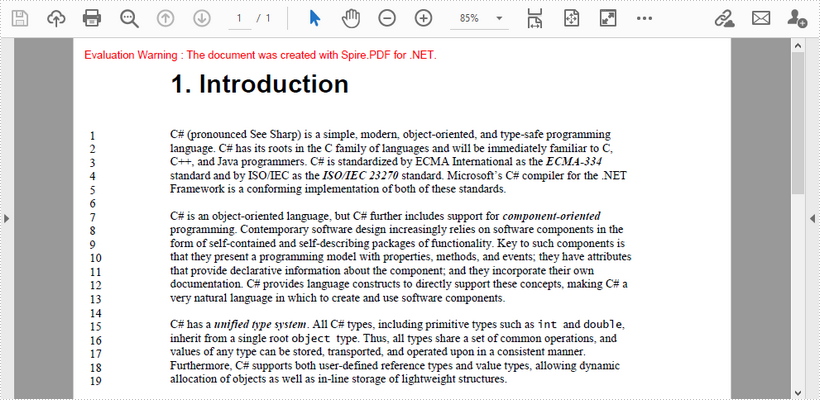
This article demonstrates how to add line numbers before chunks of text in a PDF page by using Spire.PDF for .NET.
Below is a screenshot of the input document.
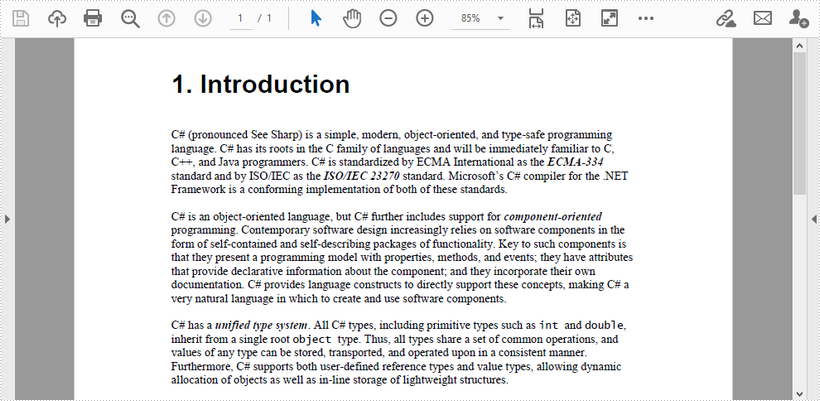
C#
using Spire.Pdf;
using Spire.Pdf.General.Find;
using Spire.Pdf.Graphics;
using System.Drawing;

namespace AddLineNumber
{
    class Program
    {
        static void Main(string[] args)
        {
     //Create a PdfDocument object
     PdfDocument doc = new PdfDocument();

     //Load PDF document
     doc.LoadFromFile(@"C:\Users\Administrator\Desktop\input.pdf");

     //Get the first page
     PdfPageBase page = doc.Pages[0];

     //Find specified text in the first line
     PdfTextFinder finder = new PdfTextFinder(page);
     finder.Options.Parameter = Spire.Pdf.Texts.TextFindParameter.WholeWord;
     PdfTextFragment topLine = finder.Find("C# (pronounced See Sharp)")[0];

     //Get line height
     float lineHeight = topLine.Bounds[0].Height;

     //Get a Y coordinate for the starting position of line numbers
     float y = topLine.Bounds[0].Location.Y - 2;

     //Find specified text in the second line
     PdfTextFinder secondfinder = new PdfTextFinder(page);
     secondfinder.Options.Parameter = Spire.Pdf.Texts.TextFindParameter.WholeWord;
     PdfTextFragment secondLine = secondfinder.Find("language. C#")[0];

     //Calculate line spacing
     float lineSpacing = secondLine.Bounds[0].Top - topLine.Bounds[0].Bottom;

     //Find specified text in the last line
     PdfTextFinder bottomfinder = new PdfTextFinder(page);
     bottomfinder.Options.Parameter = Spire.Pdf.Texts.TextFindParameter.WholeWord;
     PdfTextFragment bottomLine = bottomfinder.Find("allocation of objects")[0];

     //Get the bottom Y coordinate of the last line, which is the height of the line number area
     float height = bottomLine.Bounds[0].Bottom;

     //Create a font with the same size as the text in the PDF
     PdfFont font = new PdfFont(PdfFontFamily.TimesRoman, 11f);

     int i = 1;
     while (y < height)
     {
         //Draw line numbers at the beginning of each line
         page.Canvas.DrawString(i.ToString(), font, PdfBrushes.Black, new PointF(15, y));
         y += lineHeight + lineSpacing;
         i++;
     }

     //Save the document
     doc.SaveToFile("result.pdf");
        }
    }
}
VB.NET
Imports Spire.Pdf
Imports Spire.Pdf.General.Find
Imports Spire.Pdf.Graphics
Imports System.Drawing

Namespace AddLineNumber
    Class Program
        Shared  Sub Main(ByVal args() As String)
        'Create a PdfDocument object
        Dim doc As New PdfDocument()

        'Load PDF document
        doc.LoadFromFile("C:\Users\Administrator\Desktop\input.pdf")

        'Get the first page
        Dim page As PdfPageBase = doc.Pages(0)

        'Find specified text in the first line
        Dim finder As New PdfTextFinder(page)
        finder.Options.Parameter = Spire.Pdf.Texts.TextFindParameter.WholeWord
        Dim topLine As PdfTextFragment = finder.Find("C# (pronounced See Sharp)")(0)

        'Get line height
        Dim lineHeight As Single = topLine.Bounds(0).Height

        'Get a Y coordinate for the starting position of line numbers
        Dim y As Single = topLine.Bounds(0).Location.Y - 2

        'Find specified text in the second line
        Dim secondfinder As New PdfTextFinder(page)
        secondfinder.Options.Parameter = Spire.Pdf.Texts.TextFindParameter.WholeWord
        Dim secondLine As PdfTextFragment = secondfinder.Find("language. C#")(0)

        'Calculate line spacing
        Dim lineSpacing As Single = secondLine.Bounds(0).Top - topLine.Bounds(0).Bottom

        'Find specified text in the last line
        Dim bottomfinder As New PdfTextFinder(page)
        bottomfinder.Options.Parameter = Spire.Pdf.Texts.TextFindParameter.WholeWord
        Dim bottomLine As PdfTextFragment = bottomfinder.Find("allocation of objects")(0)

        'Get the bottom Y coordinate of the last line, which is the height of the line number area
        Dim height As Single = bottomLine.Bounds(0).Bottom

        'Create a font with the same size as the text in the PDF
        Dim font As PdfFont = New PdfFont(PdfFontFamily.TimesRoman, 11.0F)

        Dim i As Integer = 1
        While y < height
            'Draw line numbers at the beginning of each line
            page.Canvas.DrawString(i.ToString(), font, PdfBrushes.Black, New PointF(15, y))
            y += lineHeight + lineSpacing
            i += 1
        End While

        'Save the document
        doc.SaveToFile("result.pdf")

        End Sub
    End Class
End Namespace
Output