
Knowledgebase (2417)
Children categories
When dealing with large PDF files, splitting them into multiple separate files is a useful operation to streamline your work. By doing this, you can get the specific parts you need, or get smaller PDF files that are easy to upload to a website, send via email, etc. In this article, you will learn how to split a PDF into multiple files in C++ using Spire.PDF for C++.
Install Spire.PDF for C++
There are two ways to integrate Spire.PDF for C++ into your application. One way is to install it through NuGet, and the other way is to download the package from our website and copy the libraries into your program. Installation via NuGet is simpler and more recommended. You can find more details by visiting the following link.
Integrate Spire.PDF for C++ in a C++ Application
Split a PDF File into Multiple Single-Page PDFs in C++
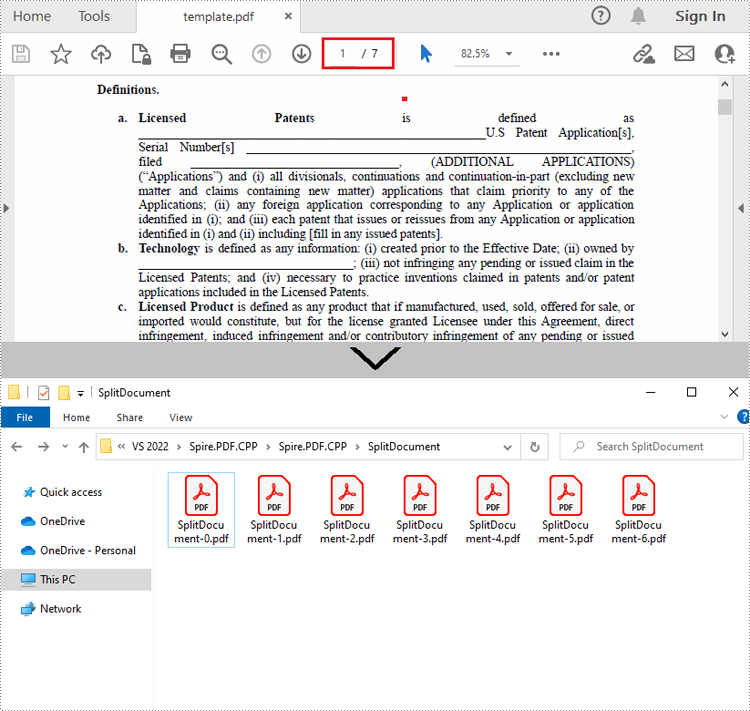
Spire.PDF for C++ offers the PdfDocument->Split() method to divide a multipage PDF document into multiple single-page files. The following are the detailed steps.
- Create a PdfDcoument instance.
- Load a sample PDF document using PdfDocument->LoadFromFile() method.
- Split the document into one-page PDFs using PdfDocument->Split() method.
- C++
#include "Spire.Pdf.o.h";

using namespace Spire::Pdf;


int main()
{
	//Specify the input and output files
	std::wstring inputFile = L"Data\\template.pdf";
	std::wstring outputFile = L"SplitDocument/";
	std::wstring pattern = outputFile + L"SplitDocument-{0}.pdf";

	//Create a PdfDocument instance
	intrusive_ptr<PdfDocument> pdf = new PdfDocument();

	//Load a sample PDF file
	pdf->LoadFromFile(inputFile.c_str());

	//Split the PDF to one-page PDFs
	pdf->Split(pattern.c_str());
	pdf->Close();

}
Split a PDF File by Page Ranges in C++
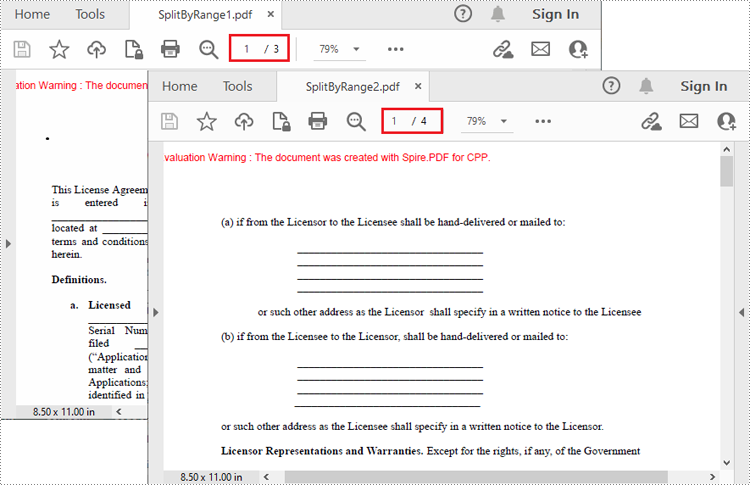
There's no straightforward way to split PDF documents by page ranges. To do so, you can create two or more new PDF documents and then use the PdfPageBase->CreateTemplate()->Draw() method to draw the contents of the specified pages in the input PDF file onto the pages of the new PDFs. The following are the detailed steps.
- Create a PdfDocument instance and load a sample PDF file.
- Create a new PDF document, and then Initialize a new instance of PdfPageBase class.
- Iterate through the first several pages in the sample PDF file.
- Create a new page with specified size and margins in the new PDF document
- Get the specified page in the sample PDF using PdfDocument->GetPages()->GetItem() method, and then draw the contents of the specified page onto the new page using PdfPageBase->CreateTemplate()->Draw() method.
- Save the first new PDF document using PdfDocument->SaveToFile() method.
- Create another new PDF document and then draw the remaining pages of the sample PDF file into it.
- Save the second new PDF document.
- C++
#include "Spire.Pdf.o.h";

using namespace Spire::Pdf;

int main()
{
	//Create a PdfDocument instance and load a sample PDF file
	intrusive_ptr<PdfDocument> oldPdf = new PdfDocument();
	oldPdf->LoadFromFile(L"Data\\template.pdf");

	//Create a new PDF document
	intrusive_ptr<PdfDocument> newPdf1 = new PdfDocument();

	//Initialize a new instance of PdfPageBase class
	intrusive_ptr<PdfPageBase> page;

	//Draw the first three pages of the sample file into the new PDF document
	for (int i = 0; i < 3; i++)
	{
		//Create a new page with specified size and margin in the new PDF document
		intrusive_ptr<PdfMargins> tempVar = new PdfMargins(0);
		page = newPdf1->GetPages()->Add(oldPdf->GetPages()->GetItem(i)->GetSize(), tempVar);

		//Draw the contents of a specified page in the sample file onto the new page
		oldPdf->GetPages()->GetItem(i)->CreateTemplate()->Draw(page, new PointF(0, 0));
	}

	//Save the first PDF document
	newPdf1->SaveToFile(L"SplitByRange1.pdf");
	newPdf1->Close();

	//Create another new PDF document
	intrusive_ptr<PdfDocument> newPdf2 = new PdfDocument();

	//Draw the rest pages of the sample file into the new PDF document
	for (int i = 3; i < oldPdf->GetPages()->GetCount(); i++)
	{
		//Create a new page with specified size and margin in the new PDF document
		intrusive_ptr<PdfMargins> tempVar = new PdfMargins(0);
		page = newPdf2->GetPages()->Add(oldPdf->GetPages()->GetItem(i)->GetSize(), tempVar);

		// Draw the contents of a specified page in the sample file onto the new page
		oldPdf->GetPages()->GetItem(i)->CreateTemplate()->Draw(page, new PointF(0, 0));
	}

	//Save the second PDF document
	newPdf2->SaveToFile(L"SplitByRange2.pdf");
	newPdf2->Close();
}
Apply for a Temporary License
If you'd like to remove the evaluation message from the generated documents, or to get rid of the function limitations, please request a 30-day trial license for yourself.
Converting a Word document to images can have several benefits. Firstly, it enables you to preserve the original formatting and layout of the document, which is especially useful when sharing the document on different devices or systems. Secondly, it prevents unauthorized changes to the content, which ensures the document's integrity. Lastly, converting a Word document to images makes the content accessible for people who do not have access to Microsoft Word. In this article, we will explain how to convert Word documents to images in C++ using Spire.Doc for C++.
- Convert a Word Document to JPEG, PNG or BMP Images in C++
- Convert a Specific Page of a Word Document to IPEG, PNG or BMP Images in C++
- Convert a Word Document to SVG Images in C++
Install Spire.Doc for C++
There are two ways to integrate Spire.Doc for C++ into your application. One way is to install it through NuGet, and the other way is to download the package from our website and copy the libraries into your program. Installation via NuGet is simpler and more recommended. You can find more details by visiting the following link.
Integrate Spire.Doc for C++ in a C++ Application
Convert a Word Document to JPEG, PNG or BMP Images in C++
Spire.Doc for C++ offers the Document->SaveImageToStreams(ImageType type) method which enables you to convert a Word document to a vector of image streams. Then you can iterate through the vector of image streams, and save each image stream to an image file such as a JPEG file, a PNG file, or a BMP file. The detailed steps are as follows:
- Initialize an instance of the Document class.
- Load a Word document using the Document->LoadFromFile(LPCWSTR_S fileName) method.
- Convert the Word document to a vector of image streams using the Document->SaveImageToStreams(ImageType type) method.
- Iterate through the vector of image streams.
- Convert each image stream to an Image object using the Image::FromStream(intrusive_ptr<Stream> stream) method.
- Save the Image object to a JPEG, PNG, BMP, or another type of image file using the Image->Save(LPCWSTR_S filename, intrusive_ptr<ImageFormat> format) method.
- C++
#include "Spire.Doc.o.h";

using namespace Spire::Doc;
using namespace std;

int main()
{
	//Initialize an instance of the Document class
	intrusive_ptr<Document> document = new Document();
	//Load a Word document
	document->LoadFromFile(L"Input.docx");

	//Convert the Word document to image streams and store the result in a vector
	std::vector<intrusive_ptr<Stream>> images = document->SaveImageToStreams(ImageType::Bitmap);

	//Iterate through the vector of image streams
	for (int i = 0; i < images.size(); i++)
	{
		//Save each image stream to a PNG image
		std::vector<byte> imgBytes = images[i]->ToArray();
		std::ofstream outFile(L"Document\\" + to_wstring(i) + L".png", std::ios::binary);
		if (outFile.is_open())
		{
			outFile.write(reinterpret_cast<const char*>(imgBytes.data()), imgBytes.size());
			outFile.close();
		}

	}

	document->Close();
}

Convert a Specific Page of a Word Document to JPEG, PNG or BMP Images in C++
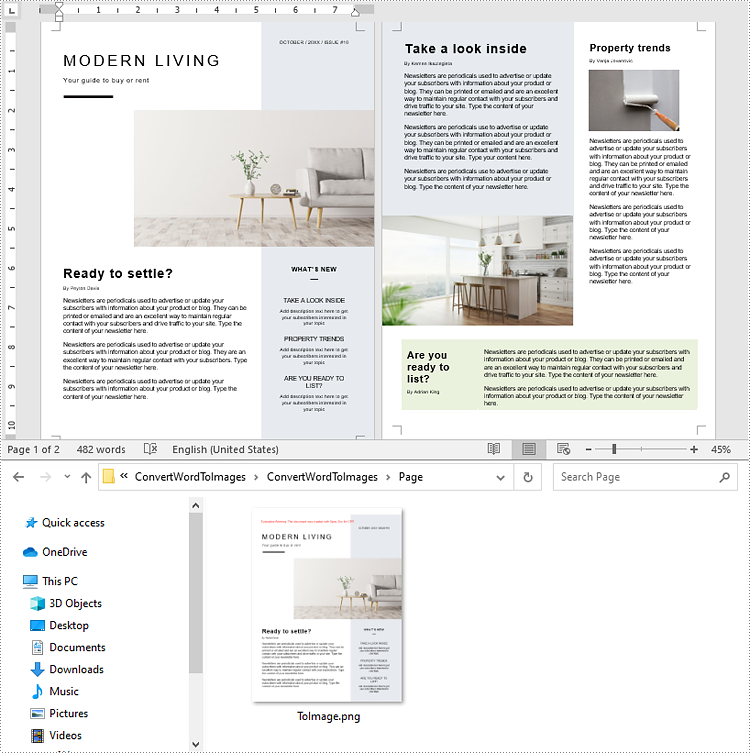
In addition to converting a whole Word document to images, Spire.Doc for C++ also enables you to convert a specific page of a Word document to an image by using the Document->SaveImageToStreams(int pageIndex, ImageType type) method. The detailed steps are as follows:
- Initialize an instance of the Document class.
- Load a Word document using the Document->LoadFromFile(LPCWSTR_S fileName) method.
- Convert a specific page of the Word document to an image stream using the Document->SaveImageToStreams(int pageIndex, ImageType type) method.
- Convert the image stream to an Image object using the Image::FromStream(intrusive_ptr<Stream> stream) method.
- Save the Image object to a JPEG, PNG, BMP, or another type of image file using the Image->Save(LPCWSTR_S filename, intrusive_ptr<ImageFormat> format) method.
- C++
#include "Spire.Doc.o.h";

using namespace Spire::Doc;
using namespace std;

int main()
{
	//Initialize an instance of the Document class
	intrusive_ptr<Document> document = new Document();
	//Load a Word document
	document->LoadFromFile(L"Input.docx");

	//Convert the first page of the Word document to a image stream
	intrusive_ptr<Stream> imageStream = document->SaveImageToStreams(0, ImageType::Bitmap);

	//Obtain image data in the default format of png, you can use it to convert other image format
	std::vector<byte> imgBytes = imageStream->ToArray();
	std::ofstream outFile(L"Page\\ToImage.png", std::ios::binary);
	if (outFile.is_open())
	{
		outFile.write(reinterpret_cast<const char*>(imgBytes.data()), imgBytes.size());
		outFile.close();
	}

	document->Close();
	imageStream->Dispose();
}
Convert a Word Document to SVG Images in C++
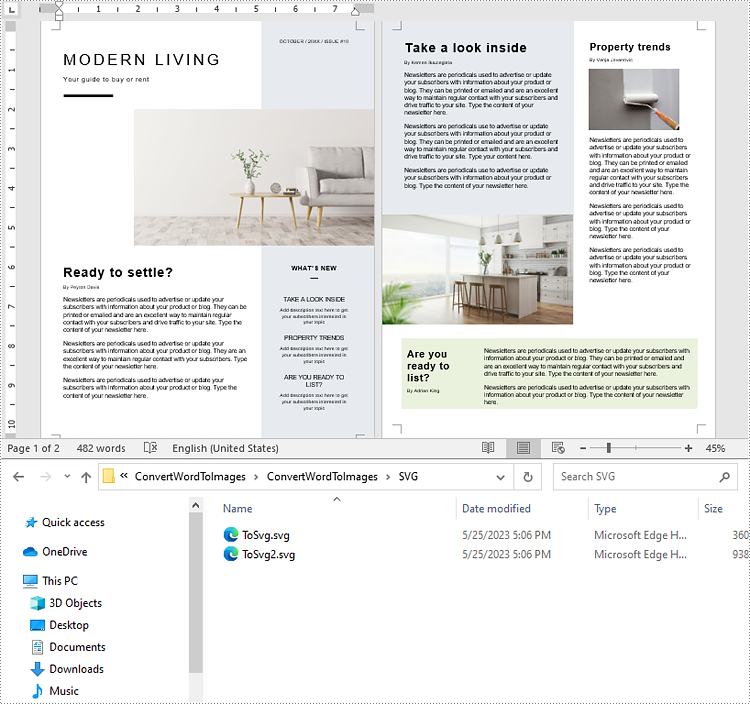
You can convert a Word document to SVG images easily by using the Document->SaveToFile(LPCWSTR_S fileName, FileFormat fileFormat) method. The detailed steps are as follows:
- Initialize an instance of the Document class.
- Load a Word document using the Document->LoadFromFile(LPCWSTR_S fileName) method.
- Save the document to SVG images using the Document->SaveToFile(LPCWSTR_S fileName, FileFormat fileFormat) method.
- C++
#include "Spire.Doc.o.h";

using namespace Spire::Doc;
using namespace std;

int main()
{
	//Initialize an instance of the Document class
	intrusive_ptr<Document> document = new Document();
	//Load a Word document
	document->LoadFromFile(L"Input.docx");

	wstring fileName = L"SVG\\ToSvg.svg";
	//Save the document to SVG images
	document->SaveToFile(fileName.c_str(), FileFormat::SVG);
	document->Close();
}
Apply for a Temporary License
If you'd like to remove the evaluation message from the generated documents, or to get rid of the function limitations, please request a 30-day trial license for yourself.
PDF documents generated through code are consistent in terms of formatting, layout, and content, ensuring a professional look. Automating the creation of PDF documents reduces the time and effort required to produce them manually. Nowadays, most invoices, receipts and other financial documents are generated programmatically. In this article, you will learn how to create PDF documents from scratch in C++ using Spire.PDF for C++.
Install Spire.PDF for C++
There are two ways to integrate Spire.PDF for C++ into your application. One way is to install it through NuGet, and the other way is to download the package from our website and copy the libraries into your program. Installation via NuGet is simpler and more recommended. You can find more details by visiting the following link.
Integrate Spire.PDF for C++ in a C++ Application
Background Knowledge
A page in Spire.PDF for C++ (represented by PdfPageBase class) consists of client area and margins all around. The content area is for users to write various contents, and the margins are usually blank edges.
As shown in the figure below, the origin of the coordinate system on the page is located at the top left corner of the client area, with the x-axis extending horizontally to the right and the y-axis extending vertically down. All elements added to the client area must be based on the specified coordinates.

In addition, the following table lists the important classes and methods, which can help you easily understand the code snippet provided in the following section.
| Member | Description |
| PdfDocument class | Represents a PDF document model. |
| PdfPageBase class | Represents a page in a PDF document. |
| PdfSolidBrush class | Represents a brush that fills any object with a solid color. |
| PdfTrueTypeFont class | Represents a true type font. |
| PdfStringFormat class | Represents text format information, such as alignment, characters spacing and indent. |
| PdfTextWidget class | Represents the text area with the ability to span several pages. |
| PdfTextLayout class | Represents the text layout information. |
| PdfDocument->GetPages()->Add() method | Adds a page to a PDF document. |
| PdfPageBase->GetCanvas()->DrawString() method | Draws string on a page at the specified location with specified font and brush objects. |
| PdfLayoutWidget->Draw() method | Draws widget on a page at the specified location. |
| PdfDocument->Save() method | Saves the document to a PDF file. |
Create a PDF Document from Scratch in C++
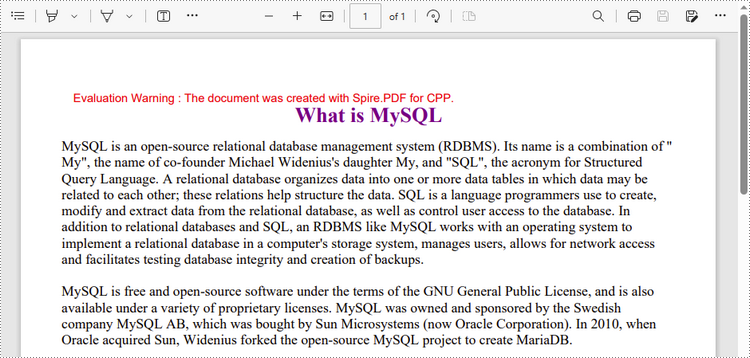
Despite the fact that Spire.PDF for C++ enables users to add various elements to PDF documents, this article demonstrates how to create a simple PDF document with only plain text. The following are the detailed steps.
- Create a PdfDocument object.
- Add a page using PdfDocument->GetPages()->Add() method.
- Create brush and font objects.
- Draw string on the page at a specified coordinate using PdfPageBase->GetCanvas()->DrawString() method.
- Create a PdfTextWidget object to hold a chunk of text.
- Convert the text widget to an object of PdfLayoutWidget class and draw it on the page using PdfLayoutWidget->Draw() method
- Save the document to a PDF file using PdfDocument->Save() method.
- C++
#include "Spire.Pdf.o.h";

using namespace Spire::Pdf;
using namespace std;

wstring readFileIntoWstring(const string& path) {

    ifstream input_file(path);
    if (!input_file.is_open()) {
        cerr << "Could not open the file - '"
            << path << "'" << endl;
        exit(EXIT_FAILURE);
    }
    string s1 = string((std::istreambuf_iterator<char>(input_file)), std::istreambuf_iterator<char>());
    wstring ws(s1.begin(), s1.end());
    return ws;
}

int main() {

    //Create a PdfDocument object
    intrusive_ptr<PdfDocument> doc = new PdfDocument();

    //Add a page
    intrusive_ptr<PdfPageBase> page = doc->GetPages()->Add(PdfPageSize::A4(), new PdfMargins(35));

    //Specify title text
    wstring titleText = L"What is MySQL";

    //Create solid brushes
    intrusive_ptr<PdfSolidBrush> titleBrush = new PdfSolidBrush(new PdfRGBColor(Color::GetPurple()));
    intrusive_ptr<PdfSolidBrush> paraBrush = new PdfSolidBrush(new PdfRGBColor(Color::GetBlack()));

    //Create true type fonts
    intrusive_ptr<PdfTrueTypeFont> titleFont = new PdfTrueTypeFont(L"Times New Roman", 18, PdfFontStyle::Bold, true);
    intrusive_ptr<PdfTrueTypeFont> paraFont = new PdfTrueTypeFont(L"Times New Roman", 12, PdfFontStyle::Regular, true);

    //Set the text alignment via PdfStringFormat class
    intrusive_ptr<PdfStringFormat> format = new PdfStringFormat();
    format->SetAlignment(PdfTextAlignment::Center);

    //Draw title on the page
    page->GetCanvas()->DrawString(titleText.c_str(), titleFont, titleBrush, page->GetClientSize()->GetWidth() / 2, 20, format);

    //Get paragraph text from a .txt file
    wstring paraText = readFileIntoWstring("C:\\Users\\Administrator\\Desktop\\content.txt");

    //Create a PdfTextWidget object to hold the paragraph content
    intrusive_ptr<PdfTextWidget> widget = new PdfTextWidget(paraText.c_str(), paraFont, paraBrush);

    //Create a rectangle where the paragraph content will be placed
    intrusive_ptr<RectangleF> rect = new RectangleF(0, 50, (float)page->GetClientSize()->GetWidth(), (float)page->GetClientSize()->GetHeight());

    //Set the PdfLayoutType to Paginate to make the content paginated automatically
    intrusive_ptr<PdfTextLayout> layout = new PdfTextLayout();
    layout->SetLayout(PdfLayoutType::Paginate);

    //Draw paragraph text on the page
    Object::Convert<PdfLayoutWidget>(widget)->Draw(page, rect, layout);

    //Save to file
    doc->SaveToFile(L"output/CreatePdfDocument.pdf");
    doc->Dispose();
}
Apply for a Temporary License
If you'd like to remove the evaluation message from the generated documents, or to get rid of the function limitations, please request a 30-day trial license for yourself.
