Knowledgebase (2417)
Children categories
Preserve Theme When Copying Sections from One Word Document to Another in C#
2018-01-19 08:04:49 Written by KoohjiA theme is a set of colors, fonts, and effects that determines the overall look of your Word document. Suppose you have a document which is neat and stylish, you’d like to copy contents of a section to another document without losing the theme and style. You can clone the theme to destination file using CloneThemeTo method.
Step 1: Create a Document object and load a sample Word file.
Document doc = new Document();
doc.LoadFromFile("theme.docx");
Step 2: Create a new Word document.
Document newWord = new Document();
Step 3: Clone default style, theme, compatibility from the source file to destination document.
doc.CloneDefaultStyleTo(newWord);
doc.CloneThemesTo(newWord);
doc.CloneCompatibilityTo(newWord);
Step 4: Add the cloned section to destination document.
newWord.Sections.Add(doc.Sections[0].Clone());
Step 5: Save the file.
newWord.SaveToFile("result.docx", FileFormat.Docx);
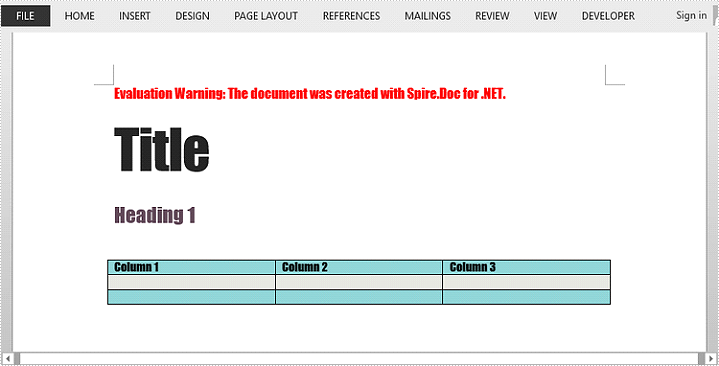
Output:
Full Code:
using Spire.Doc;
namespace PreserveTheme
{
    class Program
    {

        static void Main(string[] args)
        {
            Document doc = new Document();
            doc.LoadFromFile("theme.docx");

            Document newWord = new Document();
            doc.CloneDefaultStyleTo(newWord);
            doc.CloneThemesTo(newWord);
            doc.CloneCompatibilityTo(newWord);
            newWord.Sections.Add(doc.Sections[0].Clone());

            newWord.SaveToFile("result.docx", FileFormat.Docx);

        }
    }
}
We have already shown how to use Spire.Presentation to create the bubble chart in C# on the PowerPoint document. This article will demonstrate how to scale the size of bubble chart on the presentation slides in C#. We will use a 3-D bubble chart for example.
Step 1: Create a Presentation instance and load a sample document from the file.
Presentation ppt = new Presentation();
ppt.LoadFromFile("Sample.pptx", FileFormat.Pptx2010);
Step 2: Get the chart from the first presentation slide.
IChart chart = ppt.Slides[0].Shapes[0] as IChart;
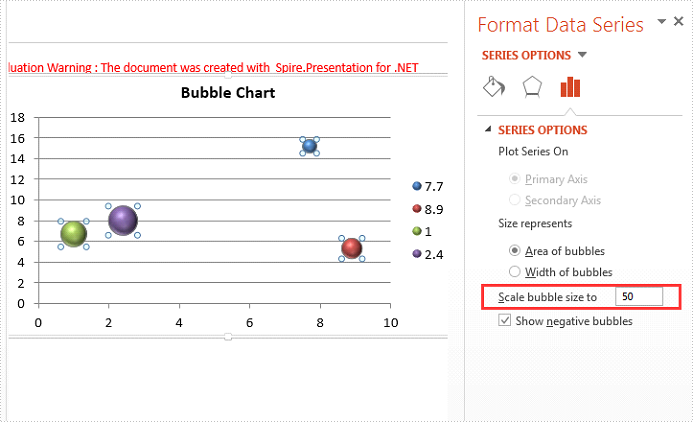
Step 3: Scale the bubble size, the range value is from 0 to 300.
chart.BubbleScale = 50;
Step 4: Save the document to file.
ppt.SaveToFile("Scalesize.pptx", FileFormat.Pptx2010);
Effective screenshot of scale the bubble size:
Full codes:
using Spire.Presentation;
using Spire.Presentation.Charts;

namespace ScaleSize
{
    class Program
    {
        static void Main(string[] args)
        {
            Presentation ppt = new Presentation();
            ppt.LoadFromFile("Sample.pptx", FileFormat.Pptx2010);
            IChart chart = ppt.Slides[0].Shapes[0] as IChart;
            chart.BubbleScale = 50;
            ppt.SaveToFile("Scalesize.pptx", FileFormat.Pptx2010);
        }
    }
}
Spire.PDF provides developers two methods to detect if a PDF file is PDF/A. The one is to use PdfDocument.Conformance property, the other is to use PdfDocument.XmpMetaData property. The following examples demonstrate how we can detect if a PDF file is PDF/A using these two methods.
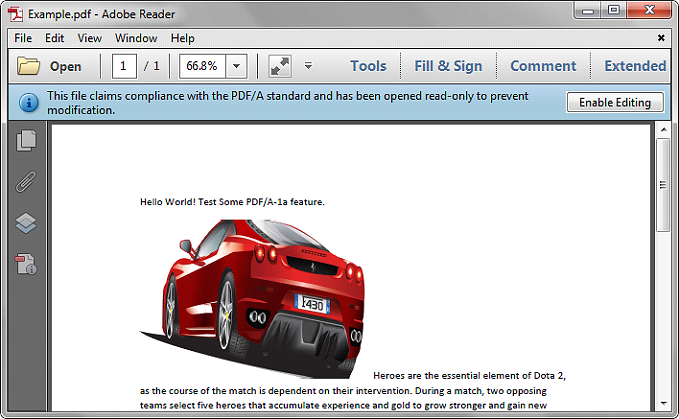
Below is the screenshot of the sample file we used for demonstration:
Using PdfDocument.Conformance
using Spire.Pdf;
using System;

namespace Detect
{
    class Program
    {
        static void Main(string[] args)
        {
            //Initialize a PdfDocument object
            PdfDocument pdf = new PdfDocument();
            //Load the PDF file
            pdf.LoadFromFile("Example.pdf");

            //Get the conformance level of the PDF file
            PdfConformanceLevel conformance = pdf.Conformance;
            Console.WriteLine("This PDF file is " + conformance.ToString());
        }
    }
}
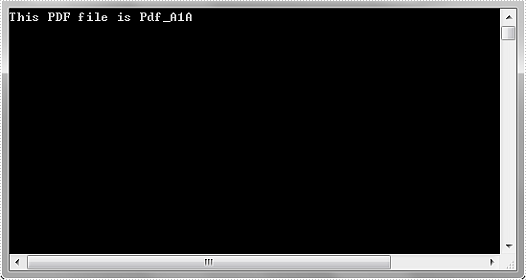
Output: